
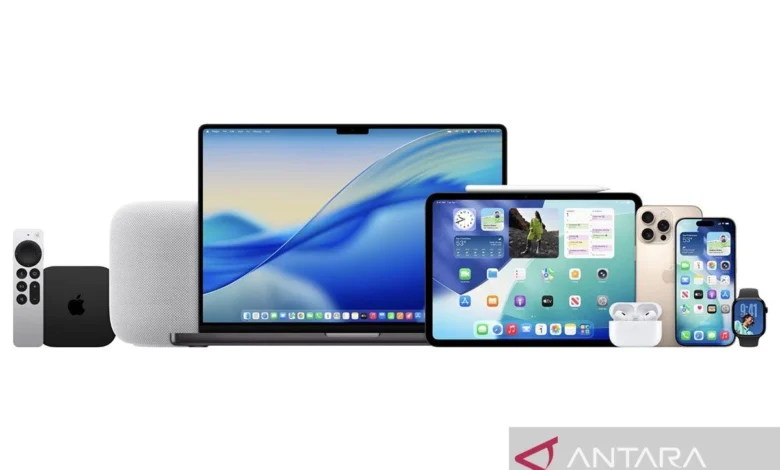
Jakarta, Indonesia – Apple Inc. has officially rolled out iOS 26.2, the latest incremental update to its flagship mobile operating system for the iPhone. This pivotal update introduces a suite of new features, critical bug fixes, and significant enhancements to system security, aiming to provide an even more robust and optimal protection layer for its vast global user base. The release underscores Apple’s continuous commitment to refining the user experience, bolstering device integrity, and maintaining its position at the forefront of mobile technology innovation. This update, while not a major generational leap, delivers meaningful improvements that impact daily usability, privacy, and device performance across a wide range of compatible iPhone models.
The release of iOS 26.2 follows Apple’s established pattern of deploying point releases after a major operating system launch, such as iOS 26. These subsequent updates are crucial for addressing any unforeseen issues that emerge post-launch, fine-tuning performance, and introducing features that might not have been ready for the initial public release. Historically, such updates play a vital role in the long-term stability and security of the iOS ecosystem, ensuring that millions of devices continue to operate smoothly and securely against an evolving threat landscape. The prompt availability of iOS 26.2 highlights Apple’s agile development cycle and its responsiveness to user feedback and emerging security concerns.
Understanding the Significance of Point Releases in iOS Development
Point releases like iOS 26.2 are more than just minor patches; they are integral components of Apple’s comprehensive software lifecycle management. While major updates (e.g., iOS 25 to iOS 26) introduce sweeping design changes, entirely new functionalities, and foundational architectural shifts, point releases focus on refinement. They address critical vulnerabilities that could be exploited by malicious actors, ensuring user data remains protected. Furthermore, they often optimize system performance, leading to smoother animations, faster app launches, and improved battery life, which might degrade slightly after a major OS overhaul. For developers, these updates provide a stable platform, allowing them to leverage new APIs (Application Programming Interfaces) or ensure their applications remain compatible and perform optimally. The cumulative effect of these point releases is a more polished, secure, and reliable user experience, reinforcing user trust in the Apple ecosystem.
Deep Dive into New Features and Enhancements in iOS 26.2
Despite being an incremental update, iOS 26.2 introduces several functional new features and enhancements that aim to improve user productivity, personalization, and security. These additions reflect Apple’s ongoing effort to cater to diverse user needs and enhance the overall utility of the iPhone.
-
Integrated Reminders Alarm with Urgent Notifications: One of the standout new features is the deeper integration of alarms with the Reminders application. Previously, reminders would typically appear as standard notifications. With iOS 26.2, users can now designate "Urgent Reminders" that trigger a full-screen alarm, appearing directly on the lock screen. This ensures critical tasks or appointments are virtually unmissable, providing a robust solution for users who rely heavily on their iPhone for scheduling and task management. This feature is particularly useful for high-priority items, medical appointments, or time-sensitive deadlines, elevating the Reminders app from a simple checklist tool to a more assertive personal assistant. The persistent nature of these alarms is designed to cut through notification fatigue, drawing immediate attention to what matters most.
-
Liquid Glass Customization for Lock Screen: iOS 26.2 introduces a visually appealing new customization option for the lock screen, dubbed "Liquid Glass." This feature allows users to personalize their lock screen with dynamic, fluid animations and effects that interact subtly with touch and device movement. Building upon the extensive lock screen customization options introduced in previous iOS versions, Liquid Glass offers a new aesthetic dimension, enabling users to create a more unique and personalized device interface. This feature is part of Apple’s broader strategy to give users more control over the look and feel of their devices, fostering a sense of individuality and engagement. The dynamic nature of Liquid Glass also subtly enhances the user experience by making the interaction with the device feel more alive and responsive.
-
Enhanced Performance for Apple Music, Podcasts, and Games: Users can expect noticeable improvements in the performance and functionality of key Apple services, including Apple Music, Apple Podcasts, and gaming applications. While specific technical details are often proprietary, these enhancements typically involve optimizations in resource management, faster loading times, reduced latency, and improved stability. For Apple Music and Podcasts, this could translate to quicker streaming, more seamless transitions between tracks or episodes, and a more responsive interface. For gaming, the improvements might manifest as smoother frame rates, better graphics rendering, and reduced lag, especially for graphically intensive titles. These optimizations collectively contribute to a more fluid and enjoyable multimedia and gaming experience on the iPhone, leveraging the full potential of the device’s hardware.
-
Freeform Smart Tables: The Freeform application, Apple’s versatile digital whiteboard for collaboration and brainstorming, receives a significant upgrade with the introduction of "Smart Tables." This feature allows users to create tables within Freeform that automatically adjust their size and layout to accommodate content such as text, images, or documents. This intelligent resizing capability streamlines the organization of complex information, making Freeform even more powerful for project planning, idea mapping, and collaborative work. The ability for tables to adapt dynamically to content reduces manual adjustments, allowing users to focus more on their ideas and less on formatting, thereby enhancing productivity and creative flow.
-
Screen Flash for Notifications: Addressing accessibility and notification visibility, iOS 26.2 introduces a screen flash feature for incoming notifications. This optional visual cue causes the screen to briefly flash when a new notification arrives, providing an additional alert mechanism alongside sound and haptics. This feature is particularly beneficial for users with hearing impairments or those in environments where auditory alerts might be missed. It adds another layer of notification awareness, ensuring users are promptly alerted to important messages or events, even in noisy surroundings or when the device is on silent mode.
-
Enhanced AirDrop Security with Additional Code Verification: Privacy and security remain paramount for Apple, and iOS 26.2 reinforces this commitment with improved AirDrop security. The update introduces an additional code verification step for AirDrop transfers, particularly when receiving content from unknown senders or in public settings. This measure helps prevent unwanted or unsolicited AirDrop transfers, a phenomenon sometimes referred to as "AirDrop spam," by requiring explicit user confirmation via a generated code. This enhancement provides users with greater control over who can send them files and significantly mitigates potential privacy intrusions, making AirDrop a safer and more reliable method for sharing content.
-
Extensive Bug Fixes and System Optimizations: As with all point releases, iOS 26.2 incorporates a multitude of bug fixes and underlying system optimizations. While not always highlighted individually, these fixes are crucial for resolving glitches, improving system stability, and enhancing overall performance. They can range from minor UI inconsistencies to critical issues affecting app functionality, battery drain, or network connectivity. These continuous refinements are essential for maintaining the smooth operation of the operating system and ensuring a consistent, reliable user experience.
Device Compatibility and Longevity
A significant aspect of any iOS update is its device compatibility. Apple has a strong track record of supporting its devices for several years, extending their lifespan and ensuring users have access to the latest security features and innovations. For iOS 26.2, the update is available for all iPhone models that are already running iOS 26. This comprehensive compatibility ensures a broad user base can benefit from the new features and security enhancements.
The list of compatible devices includes all iPhone models released starting from 2019. Specifically, this encompasses the iPhone 11 series (iPhone 11, iPhone 11 Pro, iPhone 11 Pro Max), through to the latest iPhone 17 series, and also includes the second and third generations of the iPhone SE. This wide compatibility range is a testament to Apple’s commitment to device longevity and customer value, allowing users to keep their devices updated and secure for an extended period, which is a significant differentiator in the competitive smartphone market. By supporting older models, Apple not only ensures a consistent user experience across its product line but also contributes to reducing electronic waste by extending the functional life of devices.
The Update Process: A Step-by-Step Guide for Users
For iPhone users eager to experience the benefits of iOS 26.2, the update process is designed to be straightforward. However, proper preparation is key to ensuring a smooth and successful installation.
Pre-Update Checklist:
- Backup Your iPhone: Before initiating any major software update, it is paramount to back up your device. This critical step safeguards your data, photos, contacts, and settings in case of an unforeseen issue during the update process. Users can back up their iPhone to iCloud (Settings > [Your Name] > iCloud > iCloud Backup > Back Up Now) or to a computer using Finder on macOS or iTunes on Windows.
- Ensure Sufficient Storage Space: System updates, especially those introducing new features, require a certain amount of free storage space on the device. iOS 26.2 will need dedicated space for the download and installation files. Users should check their available storage (Settings > General > iPhone Storage) and delete unnecessary apps, photos, or videos if space is low. The system typically requires several gigabytes for a smooth update.
- Stable Wi-Fi Connection: A reliable and fast Wi-Fi connection is essential for downloading the update package. Using cellular data for large updates can be slow, consume a significant portion of your data plan, and is more prone to interruptions.
- Adequate Battery Charge or Power Connection: Ensure your iPhone has at least 50% battery charge, or ideally, keep it connected to a power source during the entire update process. This prevents the device from shutting down unexpectedly in the middle of the installation, which could lead to data corruption or a bricked device.
Installation Steps:
- Access Settings: From your iPhone’s home screen, tap on the "Settings" app icon.
- Navigate to General: Scroll down and tap on "General."
- Select Software Update: Tap on "Software Update." Your iPhone will then check for available updates.
- Download and Install: Once "iOS 26.2" appears, tap "Download and Install." You may be prompted to enter your passcode.
- Agree to Terms and Conditions: Read and agree to Apple’s terms and conditions.
- Installation Process: The update will begin downloading. Once downloaded, you will be prompted to "Install Now" or "Install Later." Choosing "Install Now" will restart your iPhone to complete the installation. The process can take anywhere from 15 to 45 minutes, depending on your internet speed and device model. Your iPhone will display an Apple logo with a progress bar during the installation.
- Post-Installation: After the installation is complete, your iPhone will restart, and you will be greeted with the familiar lock screen. You may be prompted to enter your passcode and potentially some iCloud information to complete the setup.
Security Enhancements: A Core Focus of iOS 26.2
While new features often grab headlines, the underlying security enhancements in iOS 26.2 are arguably the most critical aspect of the update. Apple’s stated goal of providing "optimal protection" for users is a continuous effort, and point releases are instrumental in achieving this. In an era of escalating cyber threats, maintaining robust security is non-negotiable.
iOS 26.2 addresses various security vulnerabilities that could potentially be exploited by malicious actors. These vulnerabilities often include memory corruption issues, arbitrary code execution flaws, and kernel vulnerabilities that could grant attackers elevated privileges or access to sensitive user data. Apple’s security teams constantly monitor for new threats and work diligently to patch any discovered weaknesses. The company also regularly releases detailed security bulletins outlining the specific vulnerabilities addressed in each update, demonstrating transparency and accountability.
The enhanced AirDrop security is a direct response to potential privacy concerns, preventing unsolicited content transfers and giving users more control. Furthermore, the general system optimizations often include hardening the operating system against various attack vectors, such as improved sandboxing for applications, better data encryption protocols, and more secure handling of user credentials. By promptly releasing and encouraging the adoption of these security updates, Apple empowers its users to stay protected against the latest cyber threats, fostering a more secure digital environment for everyone within its ecosystem.
Broader Ecosystem Impact and Future Outlook
The release of iOS 26.2 not only impacts individual iPhone users but also has broader implications for the entire Apple ecosystem and the competitive landscape of mobile technology. For developers, a stable and secure operating system with incremental feature enhancements provides a reliable foundation for building innovative applications. The consistent update cycle also means that developers can anticipate new APIs and functionalities, allowing them to continually improve their offerings.
From a competitive standpoint, Apple’s commitment to regular updates, robust security, and extended device support helps maintain its strong market position. This approach fosters user loyalty and reinforces the perception of iOS as a premium, secure, and user-friendly platform. While iOS 26.2 focuses on refinement, the tech community is already looking ahead. Previous reports, including those referenced in the original article, suggest that future major updates, such as iOS 27, might place a greater emphasis on performance improvements and the integration of advanced Artificial Intelligence (AI) features. This indicates a strategic roadmap where foundational stability (addressed by updates like 26.2) paves the way for groundbreaking innovations. The continuous evolution of iOS, driven by both incremental refinements and major generational leaps, ensures that the iPhone remains a compelling device at the forefront of mobile technology.
In conclusion, iOS 26.2 is a vital update for iPhone users. It delivers a meaningful collection of new features that enhance productivity and personalization, alongside crucial security improvements and bug fixes that ensure the optimal performance and protection of millions of devices. Users are strongly encouraged to update their iPhones to iOS 26.2 promptly to leverage these advancements and maintain the highest level of device security and functionality. The update reaffirms Apple’s dedication to providing a secure, feature-rich, and continuously evolving mobile experience.
Related posts: