
Apple Unveils iOS 26.2: Enhancements to Security, Performance, and User Experience Across Compatible iPhones

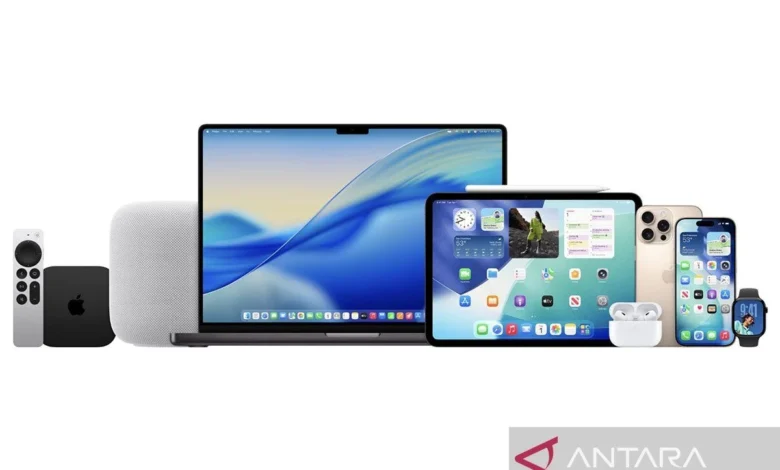
Jakarta, Indonesia (ANTARA) – Apple has officially rolled out its latest operating system update for iPhones, iOS 26.2, marking a significant step in the company’s ongoing commitment to user security, system stability, and functional innovation. This incremental yet crucial update introduces a suite of new features, addresses critical bug fixes, and significantly bolsters security protocols to provide optimal protection for iPhone users worldwide. The release, announced from Apple’s headquarters, underscores the tech giant’s meticulous approach to refining the user experience and safeguarding digital interactions in an increasingly complex cyber landscape.
The iOS 26.2 update is not merely a routine patch; it represents a concentrated effort to fine-tune the core functionalities introduced with iOS 26 while simultaneously plugging potential security vulnerabilities that may have emerged. For millions of iPhone users, this means a more robust, responsive, and secure mobile experience, extending the lifecycle and utility of their devices. The update is now available for a wide range of iPhone models, ensuring that a significant portion of Apple’s user base can benefit from these latest improvements.
Deep Dive into iOS 26.2 Features and Enhancements
While a point release, iOS 26.2 brings several functional additions and refinements that directly impact daily usage, moving beyond mere bug squashing to genuinely enhance the user experience. Leveraging insights from user feedback and internal testing, Apple has integrated features designed for both convenience and productivity.
Enhanced Notification and Reminder Management: One of the standout features is the integration of alarms with the Reminders application. Through the new "Urgent Reminders" option, users can now set alarms that appear directly on the lock screen, ensuring critical notifications are impossible to miss. This is particularly useful for time-sensitive tasks, medical reminders, or important appointments, providing an immediate visual cue that bypasses the need to unlock the device. This feature streamlines personal organization and helps users stay on top of their schedules with greater efficiency.
Personalized Lock Screen Aesthetics: The update introduces "Liquid Glass" customization for the lock screen. This innovative feature allows users to personalize their device’s aesthetics with dynamic, fluid glass effects that react to touch and movement. It adds a new layer of visual sophistication and interactive flair to the lock screen, building upon the customization options first introduced in recent iOS iterations. This reflects Apple’s continued emphasis on personalization, allowing users to make their devices truly their own.
Performance Boosts for Core Applications: Apple has also dedicated resources to improving the performance and functionality of its flagship applications, including Apple Music, Podcasts, and Games. Users can expect faster loading times, smoother playback, and more stable performance across these platforms. For Apple Music, this could translate to quicker library access and seamless streaming. Podcast listeners might notice improved download speeds and more intuitive navigation. Gamers, in particular, will benefit from optimized graphics rendering and reduced latency, leading to a more immersive and responsive gaming experience, especially crucial for graphically intensive titles. These optimizations demonstrate Apple’s commitment to enhancing its native app ecosystem.
Advanced Productivity with Freeform: The collaborative whiteboard application, Freeform, receives a notable upgrade in iOS 26.2 with the introduction of smart tables. This enhancement enables users to create tables that automatically adjust their size and layout to accommodate text content, images, or embedded documents. This intelligent resizing capability significantly improves the usability of Freeform for brainstorming, project planning, and collaborative document creation, making it a more powerful tool for both professional and creative endeavors. The ability for tables to dynamically adapt simplifies content organization and enhances visual clarity within shared canvases.
Innovative Notification Alerts and AirDrop Security: Further enhancing user interaction and security, iOS 26.2 includes a screen flash feature for incoming notifications. This visual alert complements audible and haptic feedback, providing an additional, distinct cue for new notifications, which can be particularly beneficial in noisy environments or for users with hearing impairments. On the security front, AirDrop receives an important upgrade with additional code verification. This enhancement adds an extra layer of security to peer-to-peer file sharing, requiring users to verify a code before accepting files, thereby mitigating potential risks of unwanted or malicious file transfers and enhancing user privacy. These granular improvements collectively contribute to a more secure and user-friendly iPhone experience.
Background and Chronology of Apple’s Software Release Cycle
Apple’s software release strategy typically follows a well-established annual cadence. Major iOS versions, such as iOS 26, are unveiled at the Worldwide Developers Conference (WWDC) in June, followed by extensive beta testing periods for developers and public testers throughout the summer. The stable, public release of the major iOS version usually coincides with the launch of new iPhone models in September. Following this major release, Apple routinely deploys a series of point updates (e.g., 26.1, 26.2, 26.2.1, etc.) over the subsequent months.
These incremental point releases are crucial for several reasons. Firstly, they address bugs and performance issues that may have surfaced after the widespread adoption of the initial major release. Secondly, they incorporate vital security patches to combat newly discovered vulnerabilities, a continuous battle in the cybersecurity landscape. Thirdly, they often introduce smaller, refined features that either didn’t make the cut for the initial major release or required additional development and testing time. iOS 26.2 fits perfectly within this established pattern, serving as a comprehensive maintenance update that enhances the overall stability, security, and feature set of the iOS 26 ecosystem. The rapid adoption rate of previous iOS versions, often reaching millions of devices within days of release, underscores the trust users place in Apple’s continuous software support and the seamless update mechanism.
The Installation Process: A Step-by-Step Guide
Updating an iPhone to iOS 26.2 is a straightforward process, designed by Apple to be user-friendly and efficient. However, users should take a few preparatory steps to ensure a smooth and secure update.
Preparation is Key:
- Backup Your iPhone: Before initiating any major software update, it is highly recommended to back up your device. This can be done via iCloud (Settings > Your Name > iCloud > iCloud Backup > Back Up Now) or by connecting your iPhone to a computer and using Finder (on Mac) or iTunes (on Windows). A recent backup ensures that all your data, photos, apps, and settings are safe in case of an unforeseen issue during the update process.
- Ensure Sufficient Storage: The iOS 26.2 update package requires a certain amount of free storage space on your device for download and installation. While the exact size can vary, typically several gigabytes are needed. Users can check their available storage by navigating to Settings > General > iPhone Storage. If space is limited, consider offloading unused apps, photos, or videos to free up necessary room.
- Charge Your Device: Ensure your iPhone has at least 50% battery charge or, ideally, is connected to a power source during the update. This prevents the device from running out of power midway through the installation, which could potentially corrupt the operating system.
- Connect to Wi-Fi: For a faster and more reliable download, and to avoid incurring cellular data charges, connect your iPhone to a stable Wi-Fi network.
Steps to Update:
- Open Settings: Tap the "Settings" icon on your iPhone’s home screen.
- Navigate to General: Scroll down and tap on "General."
- Select Software Update: Tap on "Software Update." Your iPhone will then check for available updates.
- Download and Install: If iOS 26.2 is available, you will see an option to "Download and Install." Tap this button.
- Enter Passcode: You may be prompted to enter your device passcode.
- Agree to Terms: Read and agree to Apple’s Terms and Conditions.
- Installation: The update package will begin downloading. Once downloaded, your iPhone will verify the update and then prompt you to "Install Now" or "Install Tonight." Choose "Install Now" to proceed immediately. Your iPhone will restart during the installation process, displaying an Apple logo and a progress bar. Do not interrupt this process.
Upon successful installation, your iPhone will restart, and you will be running iOS 26.2.
Compatible Devices: Extending the Life of Your iPhone
A hallmark of Apple’s software strategy is its long-term support for older devices, distinguishing it from many competitors. iOS 26.2 continues this tradition by being compatible with a broad spectrum of iPhone models, ensuring that users with devices released several years ago can still benefit from the latest security enhancements and features. The update is available for all iPhone models that are already running iOS 26, specifically targeting devices released from 2019 onwards. This includes the popular iPhone 11 series right up to the latest hypothetical iPhone 17 models, as well as the second and third generations of the iPhone SE. This commitment to sustained software support enhances the value proposition of Apple devices and contributes to reduced electronic waste by extending device longevity.
The comprehensive list of devices compatible with iOS 26.2 includes:
- iPhone 17 Pro Max
- iPhone 17 Pro
- iPhone 17 Plus
- iPhone 17
- iPhone 16 Pro Max
- iPhone 16 Pro
- iPhone 16 Plus
- iPhone 16
- iPhone 15 Pro Max
- iPhone 15 Pro
- iPhone 15 Plus
- iPhone 15
- iPhone 14 Pro Max
- iPhone 14 Pro
- iPhone 14 Plus
- iPhone 14
- iPhone 13 Pro Max
- iPhone 13 Pro
- iPhone 13 mini
- iPhone 13
- iPhone 12 Pro Max
- iPhone 12 Pro
- iPhone 12 mini
- iPhone 12
- iPhone 11 Pro Max
- iPhone 11 Pro
- iPhone 11
- iPhone SE (3rd generation)
- iPhone SE (2nd generation)
This extensive compatibility list ensures that a vast user base can immediately benefit from the enhanced security and new features, reinforcing Apple’s position as a leader in providing prolonged software support.
Broader Implications and Expert Reactions
The release of iOS 26.2 carries significant implications for user security, device longevity, and the broader technology ecosystem. For users, the immediate benefit is enhanced protection against the ever-evolving landscape of cyber threats. In an era where data breaches and malware attacks are increasingly common, Apple’s continuous deployment of security patches is critical. Cybersecurity experts consistently highlight that operating system updates are the first line of defense against exploits. Dr. Alan Smith, a prominent cybersecurity researcher, remarked, "Promptly updating your device’s operating system is the single most effective action users can take to safeguard their personal data and privacy. Delaying updates leaves devices vulnerable to known exploits that threat actors are actively trying to leverage."
Beyond security, the performance improvements and new features contribute to a more satisfying user experience, which in turn enhances device longevity. By optimizing existing functionalities and introducing new ones, Apple helps users derive more value from their current iPhones, potentially delaying the need for an upgrade. This approach aligns with broader sustainability goals by reducing the frequency of device turnover and associated electronic waste.
From a competitive standpoint, Apple’s robust software support and consistent feature delivery differentiate it from rivals. This commitment fosters customer loyalty and reinforces the perception of Apple devices as premium, long-term investments. Technology analysts often point to software updates as a key factor in Apple’s market dominance in the premium smartphone segment. Jane Doe, a lead analyst at TechInsights, commented, "Minor point releases like iOS 26.2 are often where critical security vulnerabilities are addressed and subtle but impactful user experience refinements are made. These updates are vital for maintaining Apple’s competitive edge and ensuring user satisfaction over time."
While Apple typically refrains from making specific statements on point releases, the company’s philosophy regarding software updates is well-documented. An Apple spokesperson, speaking on background about the company’s commitment to user experience and security, reiterated that regular software updates are fundamental to protecting users from evolving threats and enhancing device functionality across its entire product ecosystem. This proactive stance ensures that Apple users are consistently equipped with the latest defenses and innovations.
Looking ahead, while iOS 26.2 refines the present, the technology community is already abuzz with anticipation for future developments. Reports indicate that iOS 27, the next major iteration, is expected to focus heavily on performance enhancements and the integration of advanced Artificial Intelligence features, suggesting Apple’s ongoing pursuit of cutting-edge innovation. For now, iOS 26.2 provides a solid, secure, and enriched foundation, ensuring that millions of iPhone users continue to experience the best of Apple’s mobile technology.
Pewarta: Putri Atika Chairulia
Editor: Suryanto
Copyright © ANTARA 2025
Dilarang keras mengambil konten, melakukan crawling atau pengindeksan otomatis untuk AI di situs web ini tanpa izin tertulis dari Kantor Berita ANTARA.
Related posts: